CPUUpdated 3:42 PM 23%
Six modules, each your way.
Every module has its place in the menu bar and its own detailed window, with a history. Keep the ones you need and pick how they look.
-
CPU
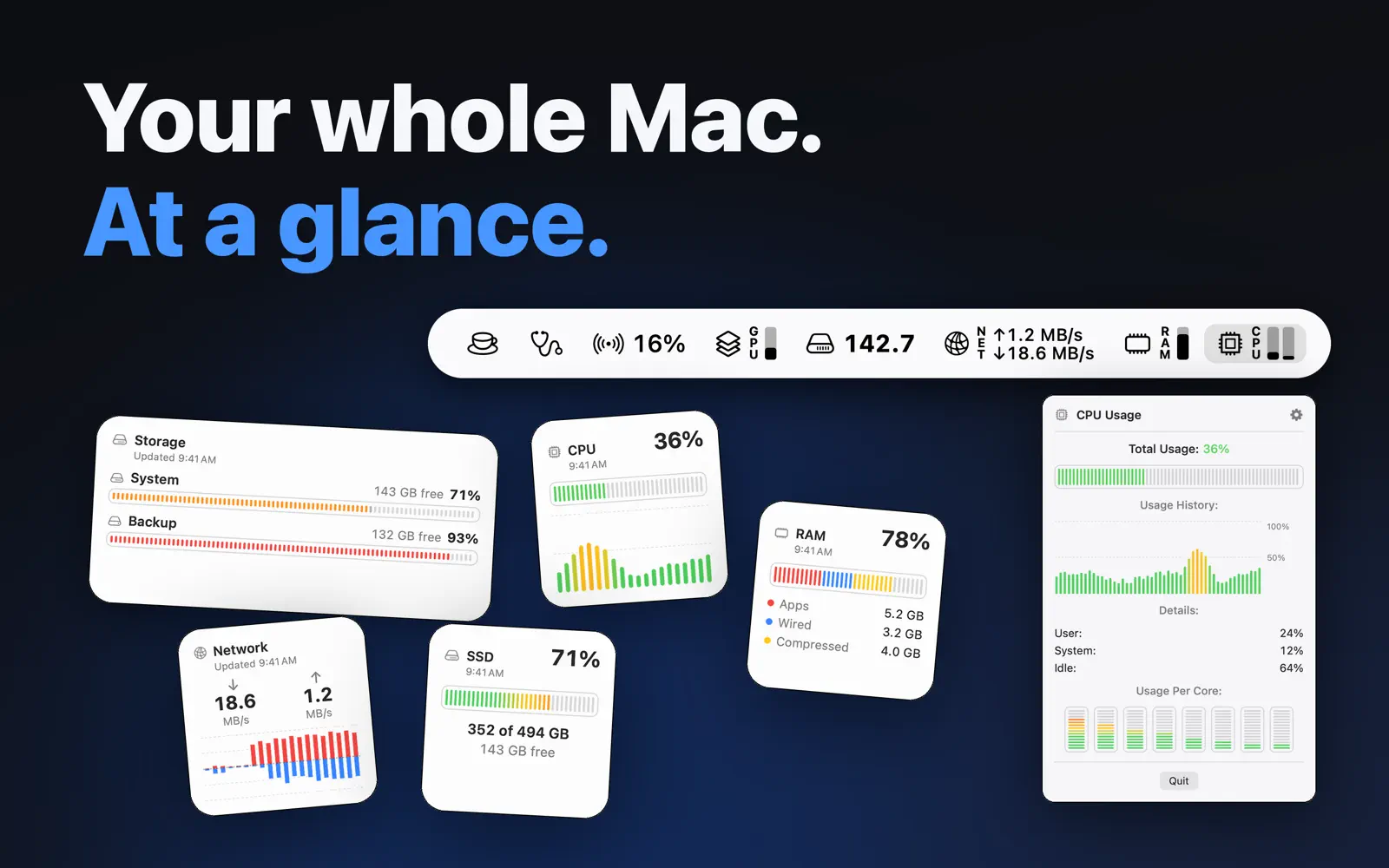
User and system load, total usage or one gauge per core. The window keeps the history and shows every core.
-
Memory
App memory, wired and compressed memory, and memory pressure, the one that tells you when your Mac is running tight.
-
Network
Upload and download speeds, live, with their history. The local IP address is one click away.
-
SSD
Free space on the startup disk and what made it move. The module can flash red on a significant change.
-
GPU
Graphics chip usage, as a gauge or a percentage, with its history.
-
Bluetooth
The battery of devices that report it: mouse, keyboard, earbuds with left, right and case.
In the settings, every module has its own tab: show or hide it, show its icon and label, pick the metric and its style.
On the Mac App Store.
The screenshots and description from its listing, as published there.
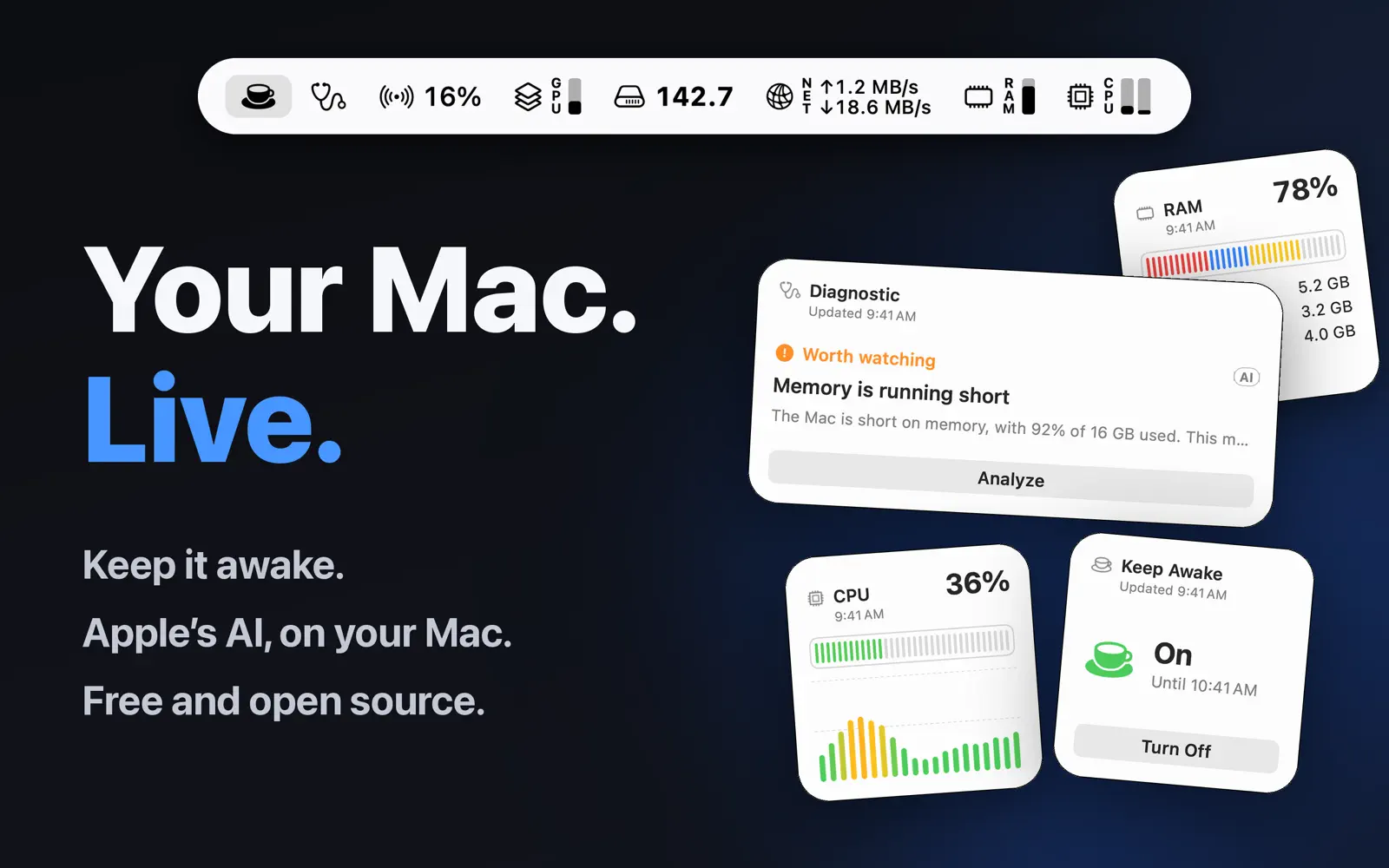
Your Mac's vital signs, right in the menu bar.
CPU, memory, GPU, network, disk and battery at a glance, plus a one-click checkup.
Free and open source. No ads, no subscription, no data collected.
SimplyBar is a lightweight system monitor for people who like to know what their Mac is doing without opening a heavy app. Show only the modules you need, hide the rest, and click any of them for a detailed window with history.
NEW IN 1.1
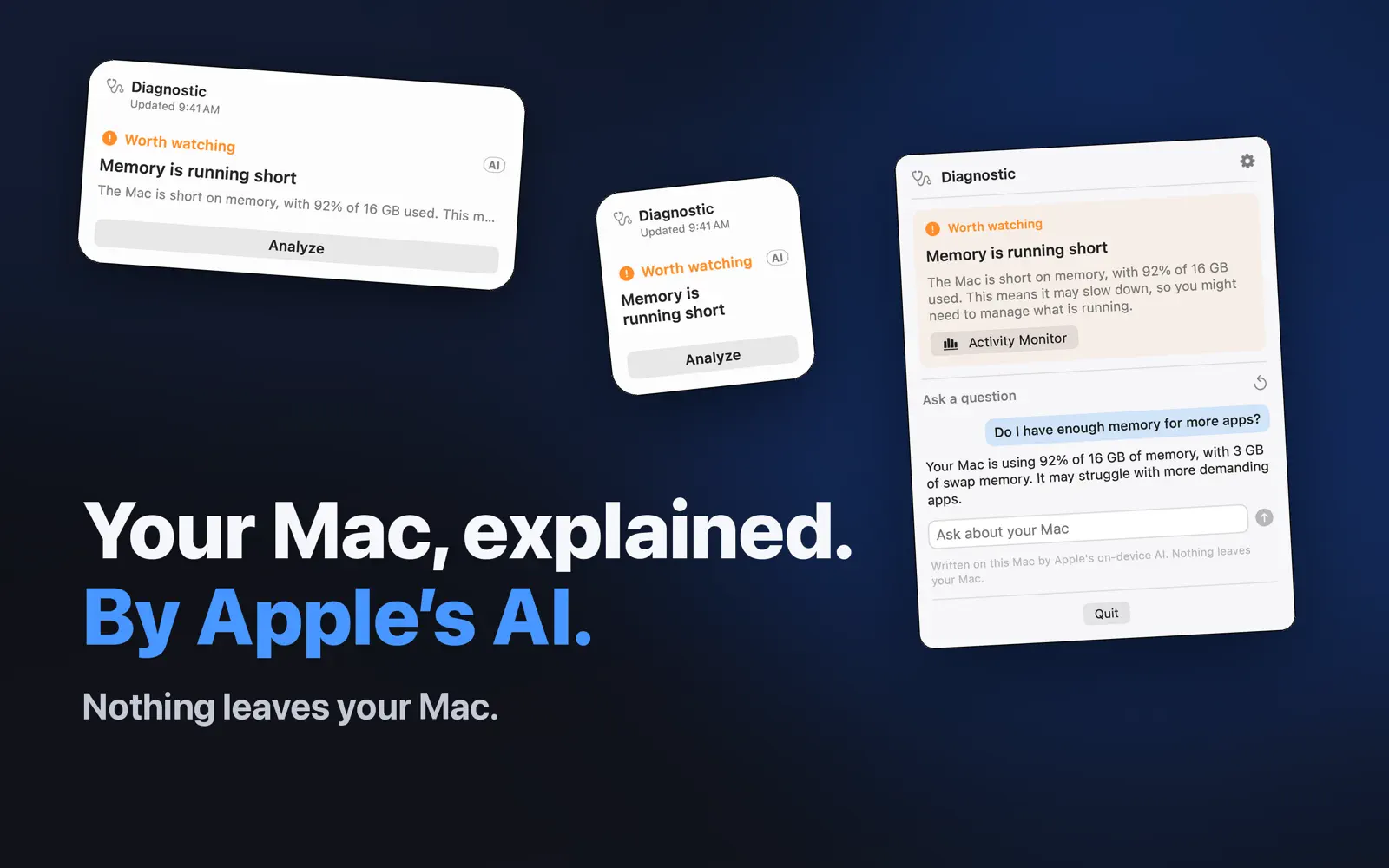
- Diagnostic: one click tells you whether your Mac is fine, worth watching or has a problem, and why
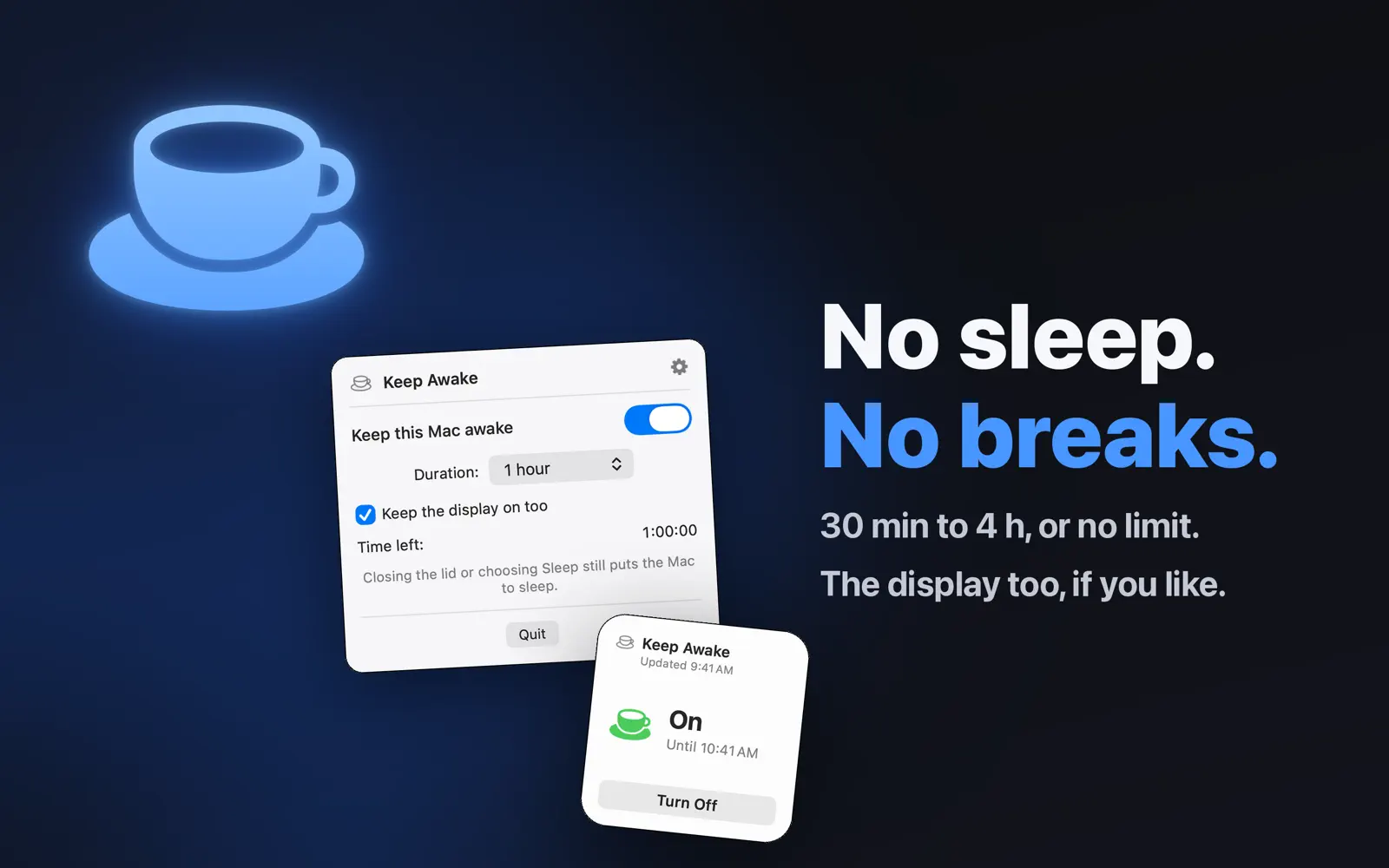
- Keep Awake: stops your Mac from sleeping, indefinitely or for 30 min, 1, 2 or 4 hours, with the display on if you like
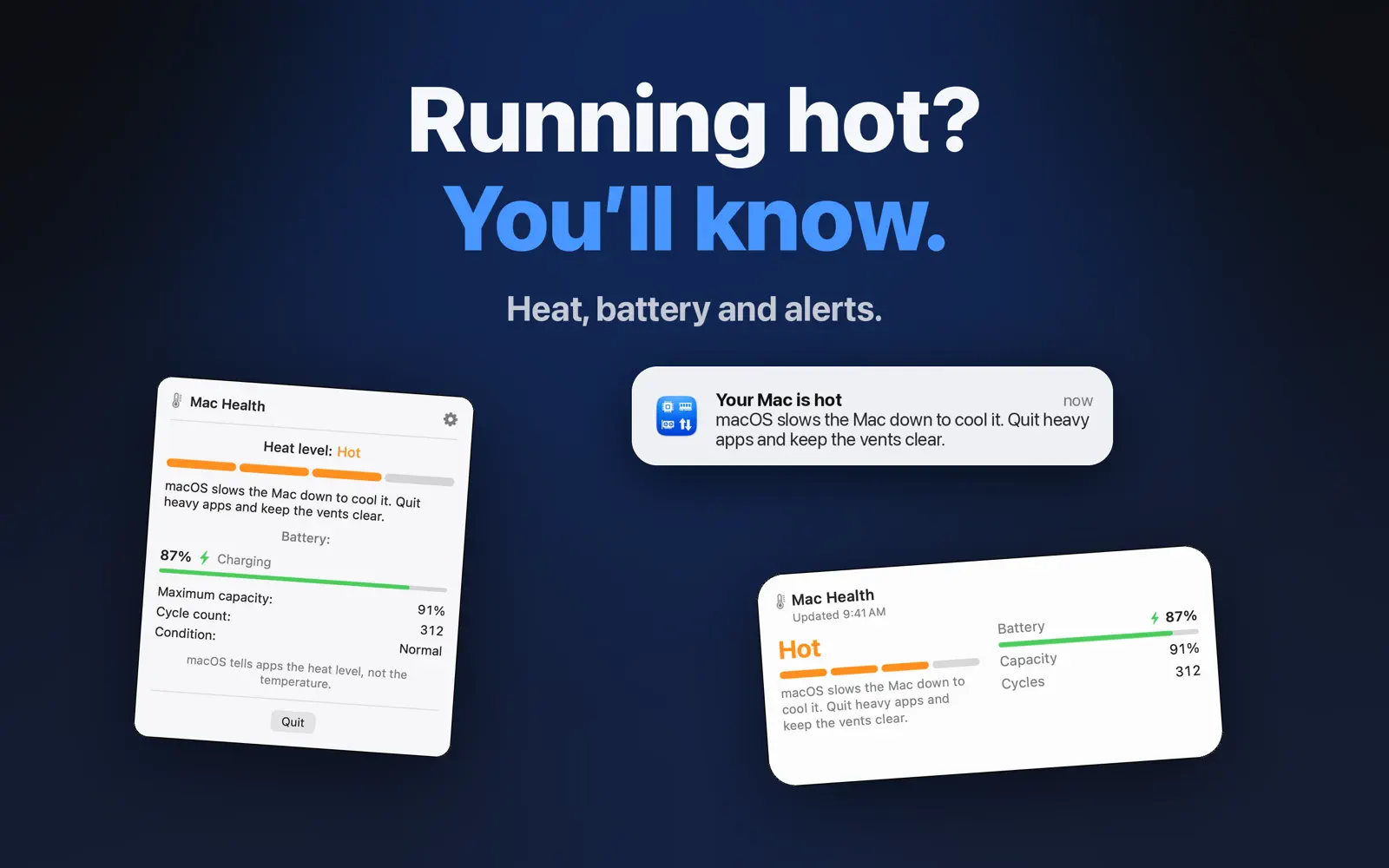
- Mac Health: heat level and, on a laptop, battery charge, maximum capacity, cycle count and condition
- Alerts: a notification when a Bluetooth device runs low, the startup disk fills up or the Mac gets hot
- Five new widgets, ten in total
ON-DEVICE DIAGNOSTIC
Rules check the processor, memory, disks, heat and batteries on every Mac and give a verdict: OK, Worth watching or Problem. Buttons take you to the right place: Activity Monitor, storage or battery settings, alerts, Keep Awake.
On macOS 26 or later with Apple Intelligence turned on, Apple's on-device model writes the explanation, and you can ask questions such as "Why is my Mac slow?". It all happens on your Mac: nothing is sent over the internet. Every answer is checked before it shows. Without Apple Intelligence, the rules give the same verdict.
IN YOUR MENU BAR
- CPU: user and system load as bars, or one bar per core
- Memory: app, wired and compressed memory, plus memory pressure
- GPU: graphics usage
- Network: live upload and download speeds, local IP address
- SSD: used and free disk space
- Bluetooth: charge level of keyboards, mice and trackpads that report it; headphones show up as connected
- Health: a thermometer that turns yellow, orange or red as your Mac heats up
- Diagnostic and Keep Awake
Every module can be shown or hidden on its own.
TEN DESKTOP WIDGETS
CPU, Memory, GPU, Network, SSD, Storage (every disk, external drives included, in three sizes), Bluetooth battery, Mac Health, Diagnostic with its Analyze button, and Keep Awake, on or off in one click.
LIGHT ON RESOURCES
Hidden modules are only measured when a widget or an alert needs them. Launch at login is optional.
FREE AND OPEN SOURCE
- Free: no ads, no subscription, no in-app purchases
- Open source under the MIT license, code on GitHub: https://github.com/Iliesseu28/SimplyBar
- No data collected, no network access, no account
- Runs inside the Mac App Store sandbox
- Available in 50 languages
Requires macOS 14 or later. AI-written diagnostic: macOS 26 or later with Apple Intelligence. Runs natively on Apple silicon and Intel Macs.
Nothing leaves your Mac.
SimplyBar is not allowed to connect to the internet: macOS forbids it. Everything is computed on your Mac, and stays there.
Read the privacy policy-
No network access
No data sent or received, by the app or by its widgets.
-
No account
No sign-up, no login, nothing to remember.
-
No tracker
No usage statistics, no ads, no report sent.
-
Open code
Anyone can read the code and check what this page says.
SimplyBar.entitlements
<dict>
  <key>com.apple.security.app-sandbox</key>
  <true/>
  <key>com.apple.security.application-groups</key>
  <array>
    <string>ZNPYGQCK98.fr.simplibot.simplybar</string>
  </array>
</dict>
The outgoing connection permission is not there: inside this sandbox, macOS blocks every connection. The widgets have the same permissions.
Light, too.
About 1.6% of one core at rest. A module that is neither shown nor open is not measured, and one that only feeds a widget is measured once a minute.
Free and open source.
No in-app purchase, no subscription. The code is public under the MIT license, and the app is on the Mac App Store.
Requires macOS 14 or later.